What is a dynamic menu QR code?
A menu QR code opens a mobile menu with your sections, dishes, descriptions and prices. It is built for change: mark a dish as sold out tonight, raise a price, or swap the lunch menu for dinner, and every table card shows the update straight away.
How it works
- You build the menu section by section and choose a style.
- The QR code holds a short link to the menu page.
- Guests scan at the table and browse on their phone.
A menu code opens a page QuickQRC hosts for you, so it uses one of your plan's hosted pages as well as one dynamic code.
How to create a dynamic menu QR code
You make the code in the QuickQRC dashboard. The free plan is enough to follow every step below, and the whole thing takes a few minutes once your content is ready.
Step 1: Create a free account
Press Sign up free on this page and enter your email address and a password. No card is needed. QuickQRC sends a link to confirm your email address; open it and you land in your dashboard.
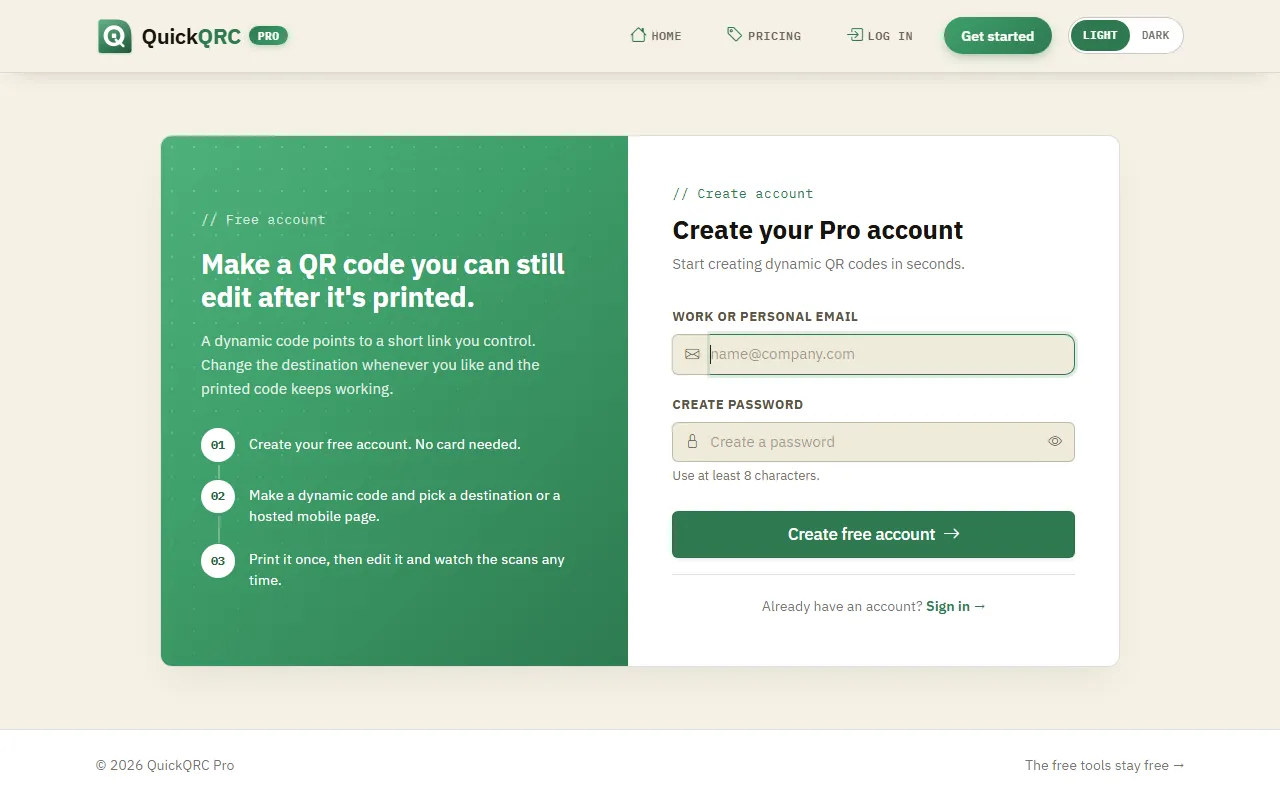
Sign up with an email address and a password.
Step 2: Pick the Menu type
If you came from this page, the wizard opens with Menu already selected. Otherwise choose New QR code in the sidebar and click the Menu card. The phone on the right shows what a menu page looks like, so you can check you picked the right type. Press Next.
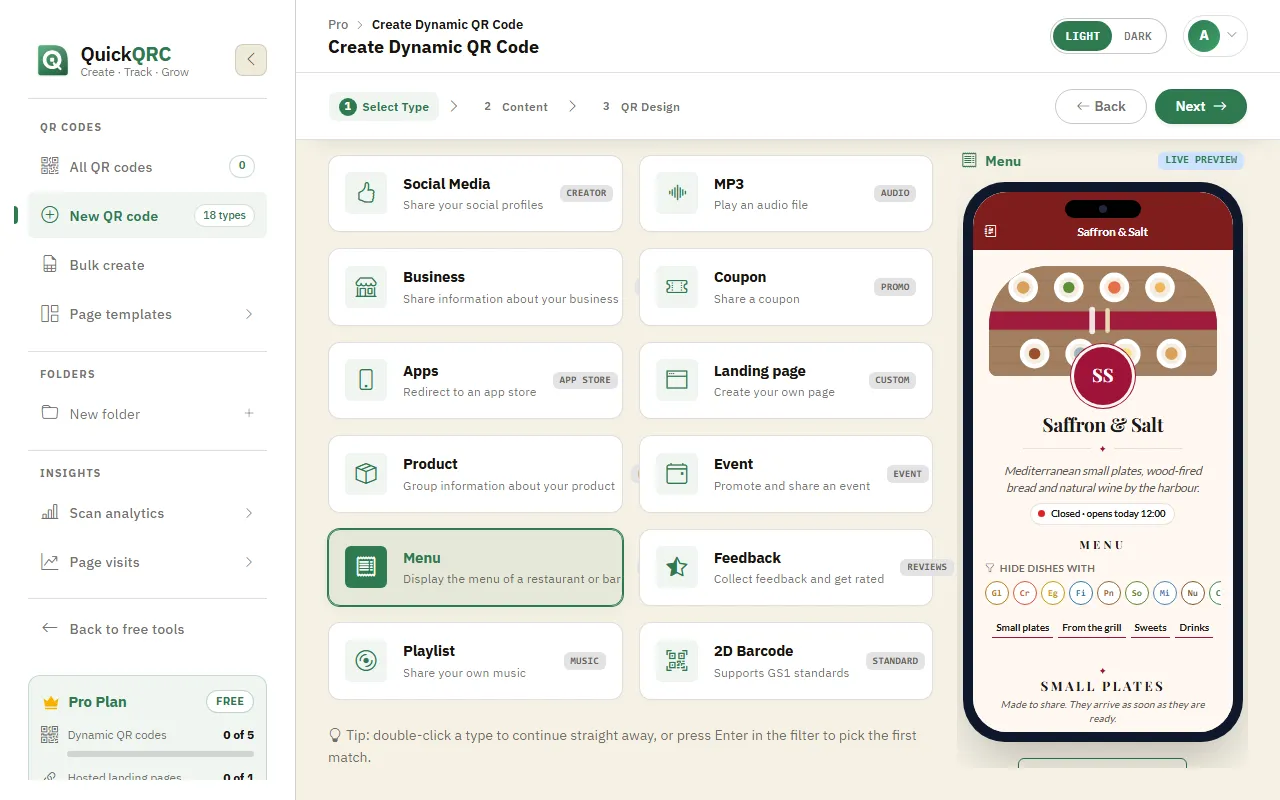
The Menu type selected in step 1 of the wizard.
Step 3: Add your content
Start with the name field at the top. Only you see it, so use something you will recognise in your list of codes later.
The Menu form has these cards:
- Look of the menu: menu style, accent and page colours, the top bar, fonts, how prices and currency show, and serving times.
- The menu: languages, the venue name, a line about the place, a logo and a cover photo.
- Sections & dishes: section names and descriptions, then each dish with its name, description, price (or several sizes and prices) and a "sold out today" switch. You can also paste one dish per line.
- Below the menu: opening hours, location, dish ratings, contact details, social and booking links.
Allergen letters next to each dish, and a filter that lets guests hide dishes by allergen, can be switched on in the Menu page settings.
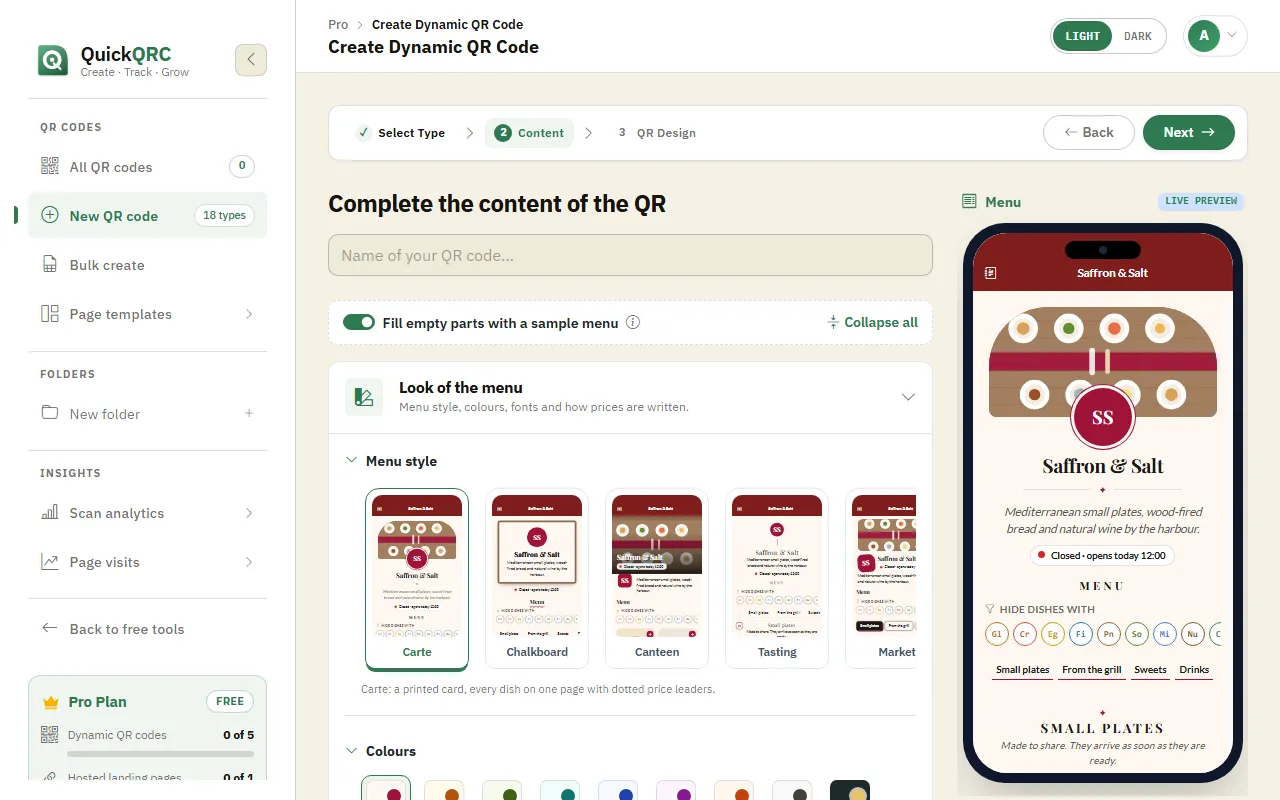
The live preview updates as you fill in the form.
Step 4: Design the QR code
Press Next to style the code itself. The tabs across the top cover the dot shape and colours, a logo in the middle, a frame with a call to action such as "Scan me", and the error correction level. The scannability score on the right warns you if a colour choice makes the code hard to read.
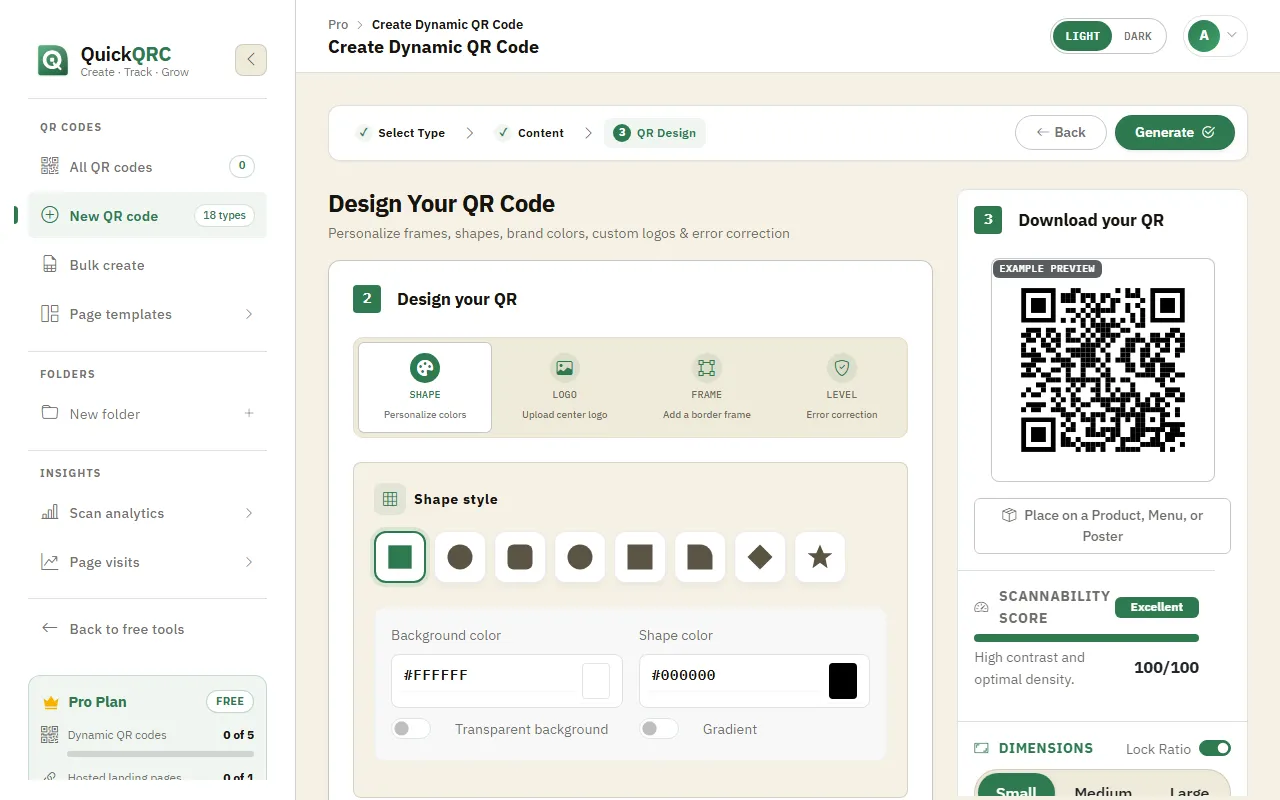
Shape, logo, frame and error correction level, with a scannability score.
Keep the dots darker than the background, and keep a plain margin around the code. Most scanning problems come from low contrast or a busy background.
Step 5: Generate and download
Press Generate. The code is saved and appears in My QR codes with its short link.
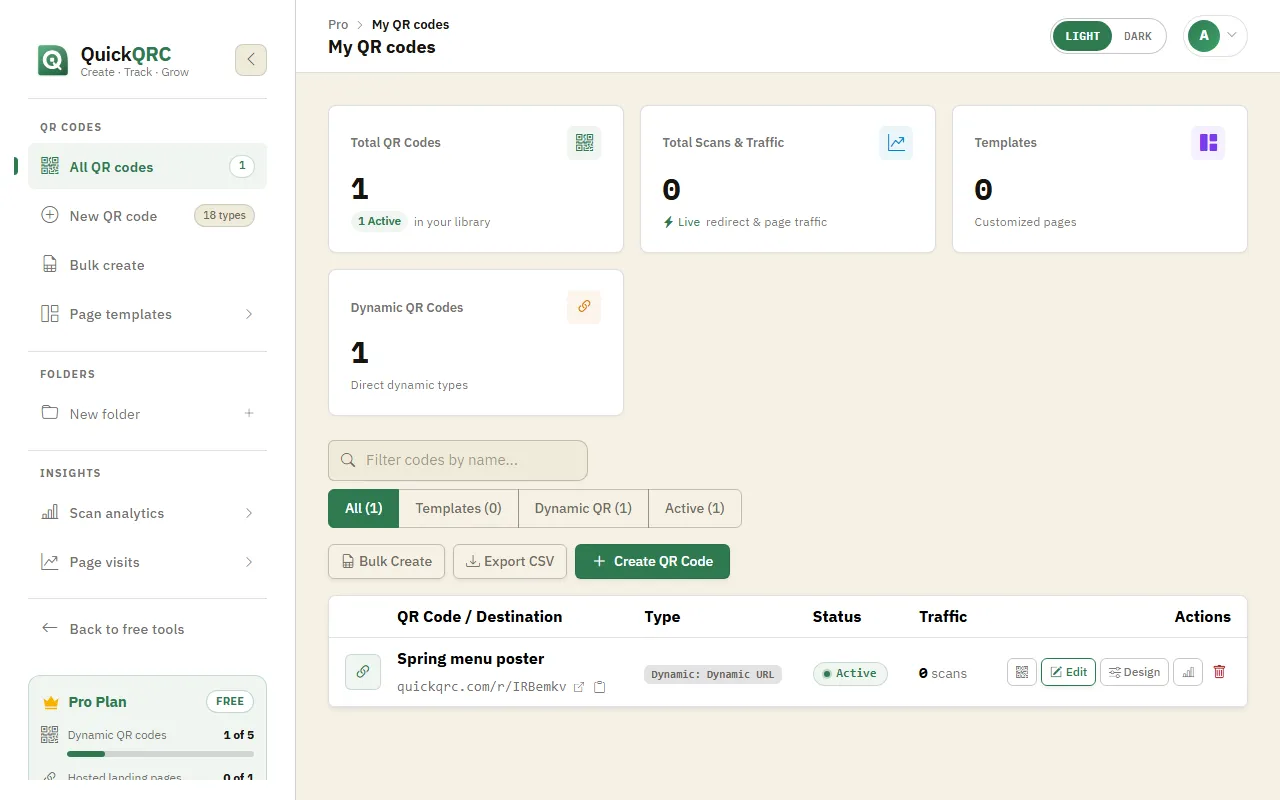
Your new code in My QR codes, with its short link.
Click the QR icon on the code's row to open it. Download PNG suits screens and documents; the arrow next to it offers SVG and PDF for print, plus JPEG and WebP. You can also copy or share the code from the same window.
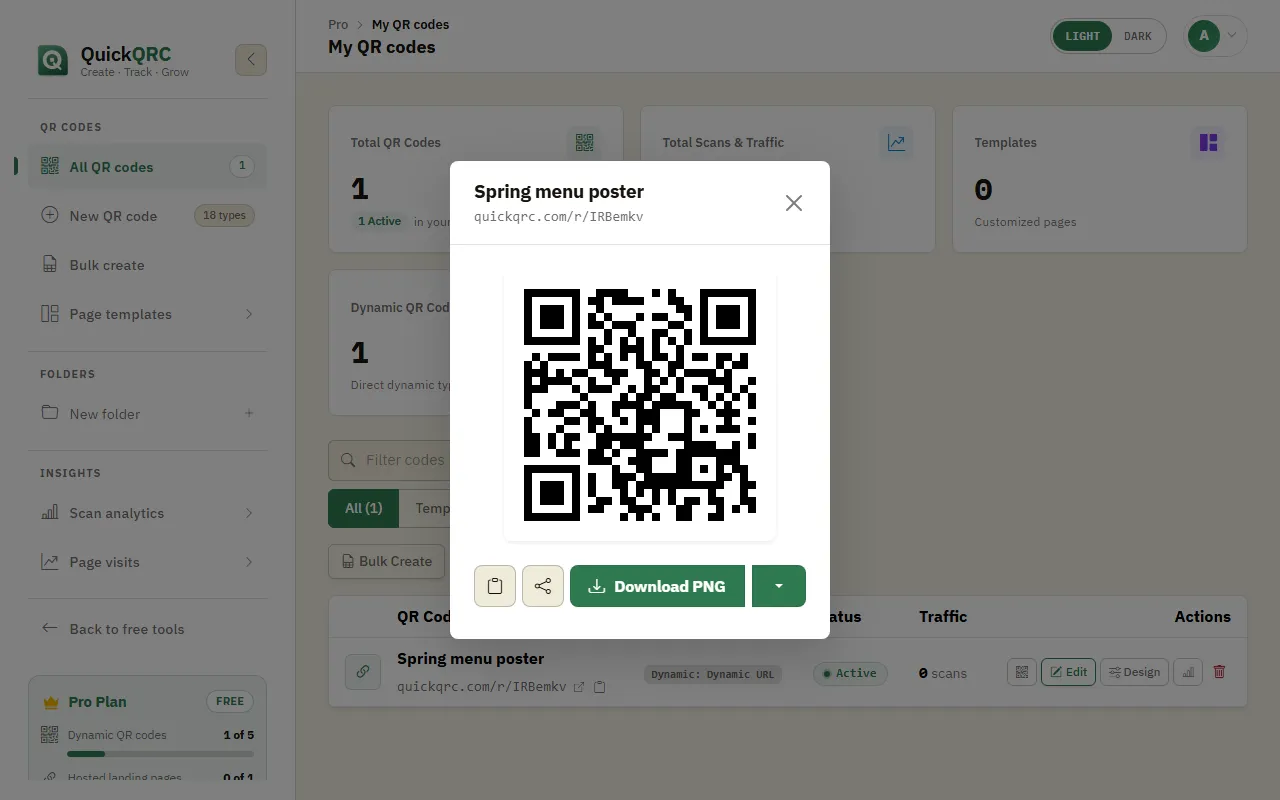
Download the code as PNG, or pick SVG or PDF for print.
Scan the downloaded code with your own phone, then print a test copy at the real size and scan that too before you print the full run.
Step 6: Edit it whenever you need to
To change the menu content later, press Edit on the code's row, make your changes and save. Design restyles the code, and the chart icon opens its scan statistics. The short link inside the printed code never changes, so every copy already printed shows your update on its next scan.
A price change shows on the next scan. Guests who opened the menu before the change see the old price until they reload.
Tips for menu QR codes
- Use serving times to show the breakfast, lunch and dinner menus at the right hours from one code.
- Use "sold out today" rather than deleting a dish, so it comes back tomorrow with one tap.
- Mark allergens on every dish. Guests rely on the filter.
- Already have a designed PDF menu? The PDF type shows it as it is.
New to dynamic codes? How dynamic QR codes work explains short links, scan counts and when a static code is the better choice. For printing, see the QR code print size guide.