A Spotify QR code encodes a normal open.spotify.com link to a track, album, playlist, artist, or podcast, so any phone camera can scan it and open that item in Spotify. This is different from a Spotify Code, the wave-bar image inside the Spotify app, which only Spotify's own scanner can read.
The generator encodes exactly the link you paste and does everything in your browser. It works as a static, permanent code as long as the item stays on Spotify.
How do you make a Spotify QR code?
- In Spotify, open the track, playlist, album, artist, or show. Choose Share, then Copy link.
- Paste it into the Spotify Song/Playlist Link field.
- Style and download the code. Scan it from a second phone to check that the right item opens.
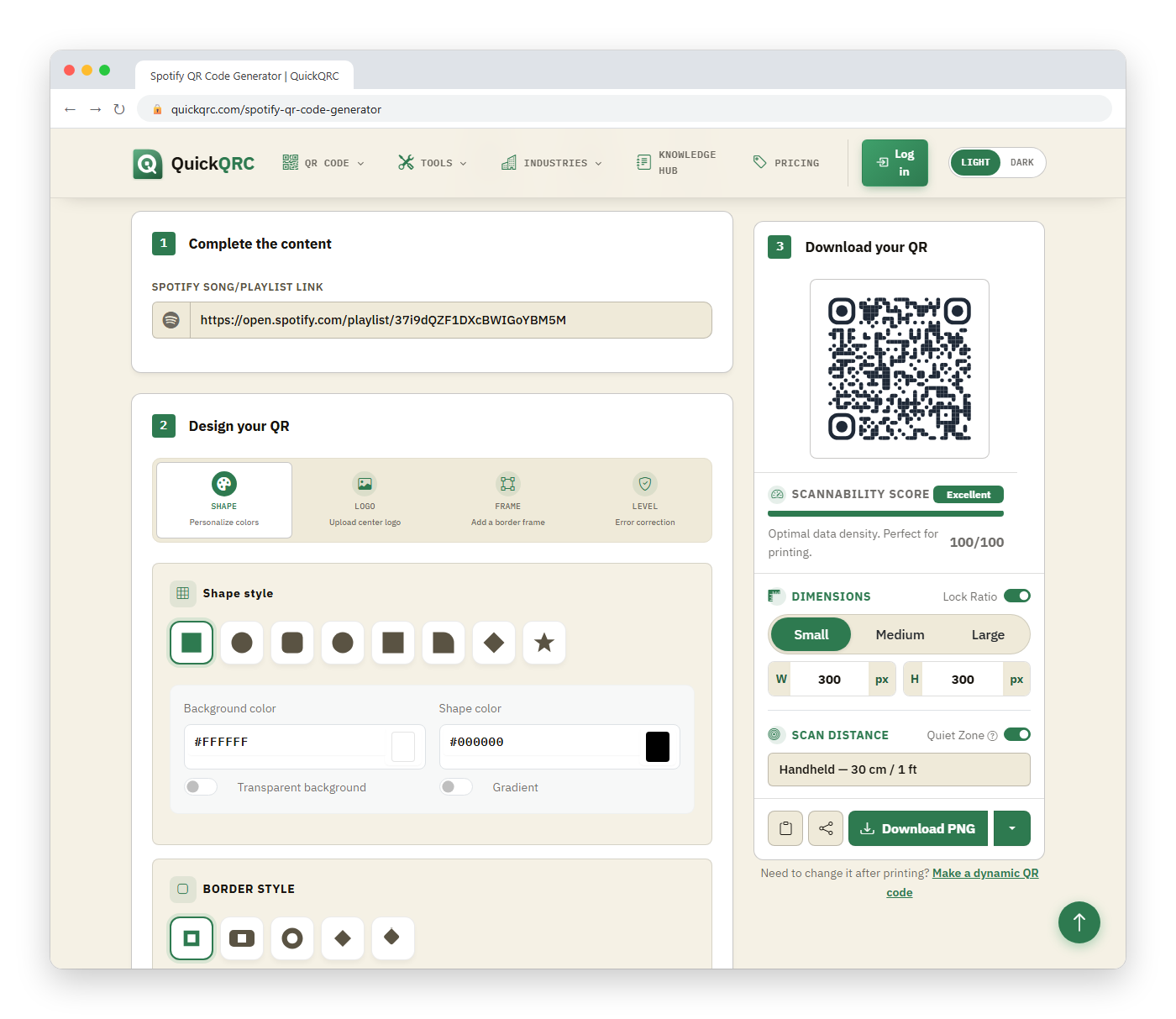
https://open.spotify.com/playlist/37i9dQZF1DXcBWIGoYBM5MThat example is a public Spotify playlist address; yours will differ. The same field accepts any of the item types Spotify can share.
How do you get Spotify's own scannable code?
If you searched for "how to get a Spotify QR code" and meant the wave-bar Spotify Code, Spotify's newsroom describes the route. It is not a button in the app; you make it on a separate site:
- In Spotify, tap the three dots next to the song, playlist, album, or artist (on desktop, hold Alt or Option while right-clicking).
- Choose Share, then Copy Spotify URI.
- Paste the URI into SpotifyCodes.com, pick a background color, bar color, size, and file format, and download the image.
To scan one, open Spotify, go to the Search tab, and tap the camera icon. That is the catch: a phone's camera app will not read a Spotify Code, so someone who sees it on a poster has to open Spotify and find that camera first. If you are not sure your audience will do that, print a QR code from the generator above instead, or print both side by side.
How do you make a QR code for a single song?
Use the song's own link rather than the album's. On a phone, tap the three dots next to the track, choose Share, then copy the link. In the desktop app, right-click the track and use the same Share menu. A song link contains /track/, an album link /album/, and a podcast episode /episode/, so check that part before you print: a code for the album opens the track list, not the song you meant.
A single-song code suits a wedding first dance, a release poster, or a product that has its own jingle. For a set of songs, make a playlist and use its link instead; you can change the tracks later without reprinting, as explained below.
Should you trim the tracking part of the link?
Yes, usually. Links copied from Spotify's Share menu often end in ?si= followed by a long string. That parameter identifies the share, not the content; removing it leaves a link that still opens the same item. A shorter link creates a less dense QR code, which is easier to scan at small sizes. Test the trimmed link in a browser before you print.
Spotify Code or QR code?
| Spotify Code | QR code (this generator) | |
|---|---|---|
| Who can scan | Spotify's in-app scanner only | Any camera or QR reader |
| How to scan | Search tab, then the camera icon | Open the phone's camera |
| Design control | Fixed Spotify style, with cover art | Your own colors, shapes, and logo |
| Best for | Sharing between people already in the app | Posters, merch, packaging, and menus |
Spotify's own newsroom explains how to create and scan Spotify Codes. Use one when everyone is already inside the app. Use a QR code whenever the audience is looking at paper or a screen and has not opened Spotify yet.
What does the scanner experience look like?
The link is a web address, so a phone with Spotify installed typically hands off to the app, and one without it reaches the web page. Playback beyond previews can depend on the listener's account and country, which you cannot control. Add the title and artist in text next to the code so a listener who cannot open it can still search for the name.
What breaks a Spotify QR code?
- Deleting or unpublishing the item. If you remove a playlist or Spotify takes a release down, the code opens an error page.
- Private playlists. Only you can open them, so the scanner sees nothing useful. Make the playlist public first.
- Playlists you keep editing. The link stays the same as tracks change, which is useful: a code for a "shop soundtrack" playlist can stay printed while you update the songs.
Where does it work well?
Band merchandise and gig posters, cafe or salon "what's playing" table cards, wedding programs with a shared playlist, and podcast promotion on business cards. Apple Music, YouTube Music, and Tidal listeners will not benefit (for Apple Music links there is a separate Apple Music QR code generator), so if your audience is mixed, use the playlist QR code generator for other services or a landing page that lists all platforms.
For broader social promotion, see social media QR codes.
How do you test it?
Scan with the default camera on iOS and Android, once signed in to Spotify and once signed out. Confirm the correct item opens, then check the exported file with the scannability tester and the print size guide.