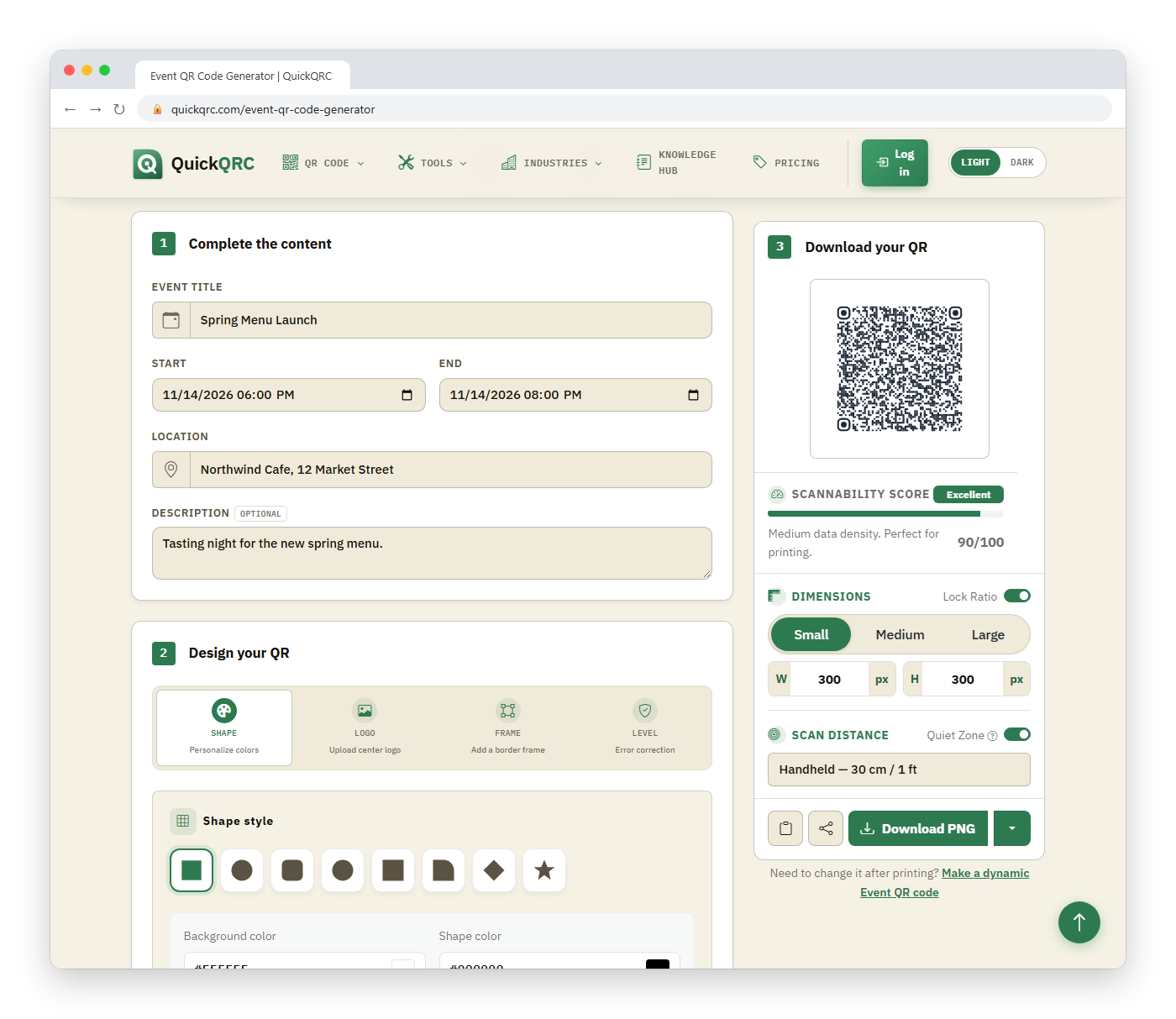
Create a calendar-event QR Code by entering the event title, start and end time, location, and optional description, then testing the generated event on several calendar apps. A compatible scanner can offer to add the event, but the user reviews and saves it. The code does not register an attendee, issue a ticket, or update itself after printing.
Promoting an Eventbrite listing? Use the Eventbrite QR code generator instead. It links the poster to your ticket page and explains where Eventbrite's own ticket QR codes live.
This tool creates a static calendar payload. Confirm the timezone and final details before publishing; changing the event later requires a new code unless you instead link to a maintained event page or hosted calendar file.
How to make a calendar-event QR Code
- Enter a concise, recognizable event title.
- Set the correct start and end date and time.
- Choose local start and end times. This generator does not currently provide a timezone selector or an all-day option.
- Add a venue name, address, or online meeting location.
- Include only essential notes and a stable information URL.
- Generate and scan the code with multiple calendar apps.
- Check the saved event, then test the final printed layout.
What does an event QR Code contain?
Calendar applications commonly exchange events using iCalendar. RFC 5545 defines the format and the VEVENT component used to represent a scheduled amount of time. A simplified event resembles:
BEGIN:VEVENT
SUMMARY:Community Workshop
DTSTART:20260910T140000
DTEND:20260910T160000
LOCATION:Main Library
END:VEVENT
The actual payload needs correct line endings, escaping, dates, identifiers, and time semantics. Use a generator rather than manually editing production data unless you understand the format and validate the result.
Embedded event or calendar URL?
| Approach | Advantages | Limitations |
|---|---|---|
| Embedded VEVENT | Event details are directly in the QR payload | Cannot be changed after printing; support varies by scanner |
| Hosted .ics file | Broad calendar-file workflow and can be replaced at a stable URL | Requires a maintained website and download behavior |
| Event landing page | Can show updates, accessibility, maps, policies, and several calendar options | Requires network access and ongoing hosting |
| Provider-specific add link | Convenient for users of that calendar service | May exclude other apps or require an account |
Use an embedded event for fixed, simple details. Use a stable landing page when information may change or the audience needs registration, cancellation, accessibility, ticketing, or multiple calendar choices. If that page is on Eventbrite, the Eventbrite QR code generator links straight to it.
Why timezone handling matters
A time without sufficient timezone context can appear at the wrong local hour. UTC values end in Z. Local time can be associated with a timezone identifier, while floating time is interpreted in the user's current context.
What this generator writes: the start and end you pick are written as floating local times with seconds and no Z, and text fields are escaped as iCalendar requires. A workshop starting at 14:00 on 10 September 2026 becomes DTSTART:20260910T140000, and a title such as "Workshop, Part 1" becomes SUMMARY:Workshop\, Part 1. Because there is no time zone marker, each phone reads the time in its own zone. That suits an event at a fixed venue for local attendees. If people will scan from several time zones, put the event on a page that states the zone, and link to it instead.
For an in-person event, identify the venue's timezone and test from a device configured to another zone. For an online global event, state the timezone visibly and verify daylight-saving transitions. Do not manually add or subtract an offset without considering the event date.
All-day events and end dates
For context, the iCalendar standard supports options beyond this tool: RFC 5545 defines all-day events with DATE values rather than date-times. The end is non-inclusive: an event beginning on one date and ending on the next represents one full day.
This is a frequent source of extra-day errors. After scanning, inspect the event in month, day, and agenda views. A multi-day conference should show the intended first and last days without an accidental additional day.
Does scanning register the attendee?
No. Adding an event to a personal calendar is not registration, RSVP, payment, ticket issuance, identity verification, or consent to marketing. If attendance requires action, link to a registration page and state that separately.
You may provide both actions: a prominent registration QR Code and an add-to-calendar link after confirmation. Avoid one ambiguous symbol labeled “event QR” when the user cannot tell whether it saves a date or buys a ticket.
Should recurring events be embedded?
iCalendar supports recurrence rules, exclusions, and modified instances, but complex series are harder to test and update. A single static payload may leave users with stale occurrences when one date changes or the series is cancelled.
For a simple, stable schedule, validate the recurrence in several target calendar apps. For classes, meetings, or programs with frequent exceptions, use a maintained subscription calendar or event page and explain whether users are subscribing to updates or importing a fixed snapshot.
What belongs in the description?
Keep it brief: a purpose, preparation note, accessibility contact, and stable information URL. Long descriptions increase QR density and can import inconsistently. Put detailed agendas, policies, speaker biographies, and changing instructions on the event page rather than inside the symbol.
Can event details change after printing?
An embedded static event cannot be edited remotely. Calendar entries already saved to user devices also do not automatically update merely because a website changes.
For changing schedules, encode a stable event page that displays current information and offers a maintained calendar file. Publish a visible “last updated” time and an urgent-change channel. For a cancelled event, keep the destination online long enough to show the cancellation.
Privacy and sensitive information
Anyone with the QR Code can decode its event details. Do not embed private meeting links, access codes, attendee lists, home addresses, internal notes, or confidential dial-in credentials on publicly distributed material.
Use authenticated registration or a protected attendee portal for restricted information. Calendar descriptions can be forwarded and synchronized across services, so treat them as shareable content.
Compatibility testing
- Test built-in iPhone and Android camera workflows.
- Test the calendar apps most common among the audience.
- Verify title, location, description, URL, timezone, start, and end.
- Test a device set to a different timezone and language.
- Check daylight-saving boundaries. Use a calendar service if you need all-day events or explicit timezone handling.
- Confirm no field is truncated or placed in an unexpected property.
- Verify the user must review and save the event.
Print and display checklist
- Use dark modules on a light, solid background.
- Preserve the four-module quiet zone.
- Label the action “Scan to add this event to your calendar.”
- Print the event name, date, timezone, and fallback URL visibly.
- Avoid folds, seams, glare, curved surfaces, and low-resolution screenshots.
- Test final size at the expected viewing distance, and check the file and paper against the printing guide.
- Retest after any payload, color, size, material, or layout change.
Troubleshooting
If the symbol scans as plain text, the reader may not recognize the event structure. Offer a hosted .ics file or event page as a compatibility fallback. If the time is wrong, inspect timezone and daylight-saving handling rather than altering the printed clock value blindly.
If the code is not detected, separately inspect contrast, quiet zone, size, focus, glare, and resolution. A successful decode does not prove that every calendar field imported correctly.